
In today’s world, where entertainment is at your fingertips, you deserve a seamless streaming experience. Whether it’s catching the latest episode of your favorite series, watching live sports, or exploring on-demand movies, nothing is more frustrating than buffering, lag, or a device that can’t keep up. That’s where the right IPTV box comes in. Choosing the best IPTV box for your home ensures uninterrupted entertainment, a user-friendly interface, and access to a vast range of channels. If you’ve been struggling with streaming issues or want to upgrade your setup, this guide will walk you through everything you need to know to pick the perfect IPTV box for your home.
What Is an IPTV Box and Why You Need One
An IPTV box is a device designed to stream television content over the internet. Unlike traditional cable or satellite TV, IPTV delivers content directly to your screen via your internet connection. This allows you to access live channels, movies, and on-demand programming without relying on conventional broadcasting methods.
Benefits of Using an IPTV Box
- Unlimited Channels: Gain access to hundreds or even thousands of channels from around the world.
- On-Demand Content: Watch movies, series, and shows whenever you want.
- Multi-Device Compatibility: Stream on your TV, tablet, or smartphone.
- Cost Efficiency: Often more affordable than traditional cable subscriptions.
IPTV Box vs. Smart TV vs. Streaming Stick
| Feature | IPTV Box | Smart TV | Streaming Stick |
|---|---|---|---|
| Channels | Unlimited | Limited | Limited |
| On-Demand | Yes | Limited | Limited |
| Compatibility | Multiple Devices | TV Only | TV Only |
As you can see, an IPTV box offers more flexibility, making it the ideal choice for anyone looking to elevate their streaming experience.
Key Features to Look for in the Best IPTV Box
When choosing the right IPTV box, there are several key features that determine your streaming quality and overall experience.
Video Quality and Resolution
Video quality is one of the most important factors. Most IPTV boxes support HD (720p), Full HD (1080p), and 4K UHD streaming. The higher the resolution, the sharper and more immersive your viewing experience will be. If you have a 4K TV, you’ll want a box that can handle 4K content to fully enjoy your screen.
Storage and Performance
RAM and internal storage directly impact performance. An IPTV box with at least 2GB of RAM ensures smooth playback, while adequate storage allows you to install multiple apps and save content for offline viewing.
Connectivity Options
Connectivity is crucial for uninterrupted streaming. Consider the following:
- Ethernet vs Wi-Fi: Ethernet provides a stable connection, ideal for live sports or HD channels.
- USB Ports: For external storage or connecting additional devices.
- HDMI Ports: Ensure compatibility with your TV.
Compatibility with IPTV Apps
The best IPTV boxes support popular apps like IPTV Smarters, TiviMate, and Perfect Player. Make sure the device you choose can run your preferred IPTV applications smoothly.
User Interface and Ease of Use
A user-friendly interface makes navigation easy for everyone in your home. Look for:
- Simple menus and clear layouts
- Remote control functionality
- Accessibility features
Key Features Checklist:
- Supports HD/4K streaming
- Multi-device compatibility
- User-friendly interface
- Regular firmware updates
Top IPTV Boxes Available in 2026
Here are some of the top-performing IPTV boxes that combine performance, affordability, and reliability:
| IPTV Box Model | Price | Resolution | Key Features |
|---|---|---|---|
| Model A | $99 | 4K | Multi-device, App support |
| Model B | $120 | Full HD | Ethernet + Wi-Fi, Smooth streaming |
| Model C | $80 | HD | Compact, Budget-friendly |
| Model D | $150 | 4K | Advanced features, HDR support |
| Model E | $110 | Full HD | Easy setup, Popular among beginners |
These options cater to a wide range of budgets and user needs, whether you want a high-end device with 4K streaming or an affordable model for basic TV viewing.
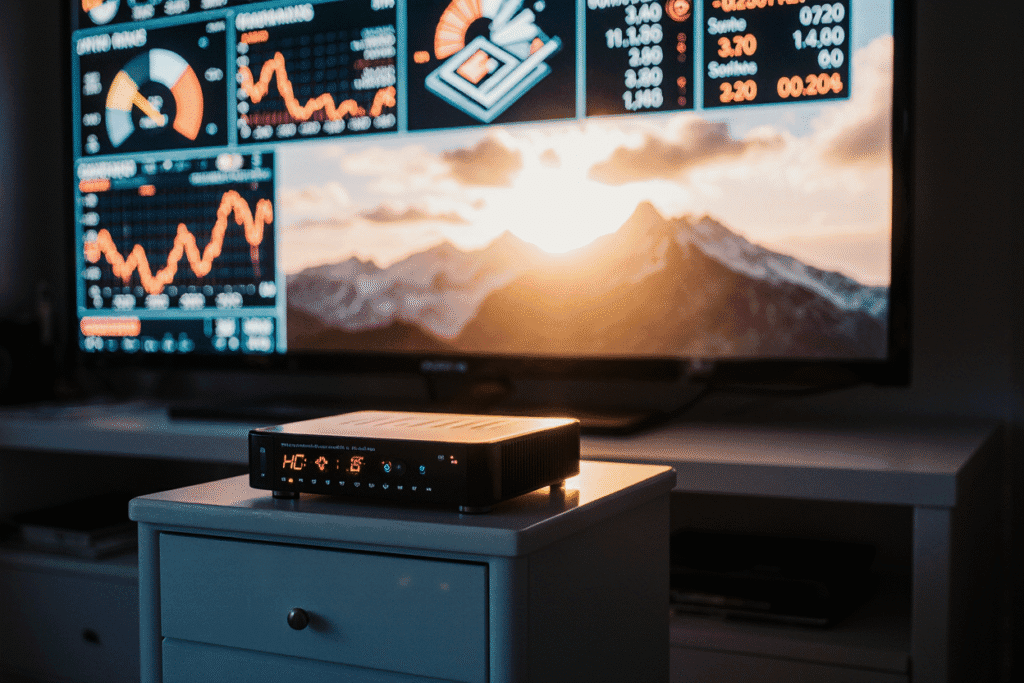
How to Choose the Right IPTV Box for Your Home
Selecting the perfect IPTV box depends on your viewing habits, budget, and technical preferences.
Consider Your Streaming Needs
- Channels: Are you a sports fan or a movie enthusiast?
- On-Demand Content: Do you prefer accessing movies and series on demand?
- Family Size: Consider how many devices will be streaming simultaneously.
Budget vs Features
While it’s tempting to go for the cheapest option, consider the trade-offs:
- Budget models may lack 4K support or have limited app compatibility.
- Premium models offer better performance, future-proofing, and advanced features.
Reviews and Brand Reputation
Before purchasing, read customer reviews and expert opinions. Brands with a history of reliable devices and frequent software updates are generally safer choices.
Future-Proofing Your IPTV Setup
Invest in a device that can adapt to new technologies:
- 4K UHD and HDR support
- Regular firmware updates
- Compatibility with upcoming apps
Setting Up Your IPTV Box
Getting started with your IPTV box is straightforward. Follow these steps:
- Connect the IPTV Box to Your TV: Use the HDMI port for optimal video quality.
- Power On and Connect to the Internet: Prefer Ethernet for stability, but Wi-Fi works as well.
- Install Your Preferred IPTV App: Download from the device’s app store or sideload if necessary.
- Enter IPTV Subscription Credentials: Access your channels and content.
- Customize Channel List and Settings: Arrange channels according to your preferences.
Setup Table:
| Step | Action | Tip |
|---|---|---|
| 1 | Connect HDMI | Use the correct port on TV |
| 2 | Power On | Ensure stable power |
| 3 | Connect Internet | Prefer Ethernet for reliability |
| 4 | Install App | Download latest version |
| 5 | Configure | Test channels for smooth streaming |
Common Issues and Troubleshooting
Even with the best IPTV box, issues may arise. Here’s how to handle them:
- Buffering or Slow Streaming: Check internet speed, use Ethernet for stable connection.
- App Crashes: Update or reinstall the app.
- Device Overheating: Ensure proper ventilation and avoid blocking airflow.
Quick Fix List:
- Restart IPTV box
- Clear app cache
- Update firmware
- Check internet speed
FAQ – Best IPTV Box
What is the best IPTV box for beginners?
- Options with pre-installed apps and simple interfaces, like Model C or Model E, are ideal.
Can I use any IPTV box with my subscription?
- Not all boxes are compatible with every IPTV service. Verify app support and device requirements.
How much should I spend on a good IPTV box?
- Budget-friendly models start around $80, while premium 4K models can go up to $150–$200.
Do IPTV boxes support 4K streaming?
- Many high-end models do, but check the device specifications to ensure UHD compatibility.
Is setup difficult for non-technical users?
- Most IPTV boxes are user-friendly. Following the setup steps above ensures a smooth start.
Conclusion
Choosing the best IPTV box for your home is an investment in uninterrupted entertainment. By considering video quality, performance, app compatibility, and connectivity options, you ensure a seamless streaming experience. Popular models in 2026 offer features ranging from HD to 4K, multi-device support, and intuitive interfaces.
Don’t let poor streaming ruin your leisure time. Take control of your home entertainment today—invest in the right IPTV box and enjoy smooth, unlimited entertainment for years to come.
Call-to-Action:
Upgrade your TV experience now. Choose the best IPTV box for your home and never miss another show or live event!