
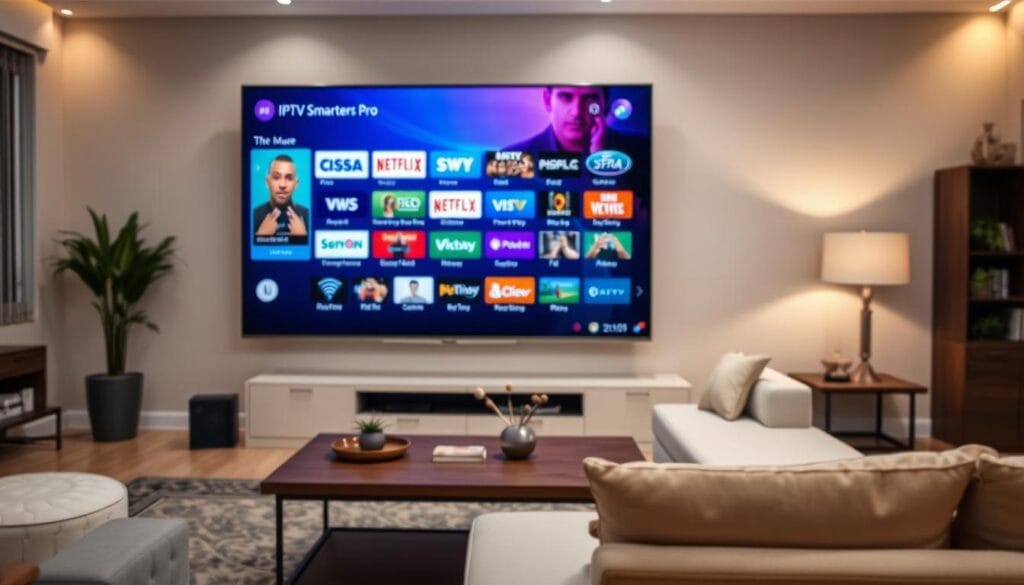
Streaming fans are always on the lookout for the best IPTV solution. They want something that’s easy to use and flexible. IPTV Smarters Pro is a top choice for those who want to customize their streaming experience on various devices.
Starting your advanced streaming journey means learning about IPTV Smarters Pro. It’s not just another app. It’s a powerful platform that connects you to endless entertainment through compatible IPTV providers.
Whether you’re using a Smart TV, Android box, Amazon Firestick, iOS device, or PC, IPTV Smarters Pro is easy to use. Its universal compatibility means you can stream high-quality content with the right service provider.
Key Takeaways
- IPTV Smarters Pro supports multiple device platforms
- Compatible with M3U URL and Xtream Codes API providers
- User-friendly interface for all family members
- Supports external players like VLC and MX Player
- Versatile streaming solution for diverse entertainment needs
Introduction to IPTV Smarters Pro
Streaming platforms have changed how we watch media. IPTV Smarters Pro leads this change. It’s a powerful app that makes watching content easy and flexible.
Decoding IPTV Smarters Pro
IPTV Smarters Pro is more than a streaming service. It’s a smart media player that connects you to digital content. It’s different from other services because it connects your devices to content providers.
- Compatible with multiple devices
- Supports M3U URL and Xtream Codes API
- Works across Smart TVs, Android, Firestick, computers, and smartphones
Key Features That Set It Apart
IPTV Smarters Pro stands out because of its strong features. It has an easy-to-use interface that makes streaming better.
- Custom Playlist Creation
- Multi-screen viewing options
- Electronic Program Guide (EPG) support
- External player integration
- Parental control settings
Whether you’re into tech or just like watching shows, IPTV Smarters Pro is easy to use. It lets you watch your favorite content on many devices.
Why Choose IPTV Smarters Pro?
Finding the right IPTV player can change how you watch live TV. IPTV Smarters Pro is a top choice for those who want a smooth viewing experience on many devices.
When picking an IPTV player, it’s all about how easy it is to use and how good it feels. Let’s look at why IPTV Smarters Pro is a favorite for live TV fans.
User-Friendly Interface
IPTV Smarters Pro has a simple design that makes finding shows easy. The app is all about being easy to use:
- Clean, modern interface with easy-to-read menus
- Quick access to Live TV, Movies, Series, and TV Catchup
- Powerful search functionality for instant content location
- Customizable favorites list for personalized viewing
The app also has an Electronic Program Guide (EPG) that shows you what’s on. It works well with both remotes and touchscreens.
Multi-Device Compatibility
IPTV Smarters Pro works on lots of devices. You can watch your favorite shows on:
- Android smartphones and tablets
- Amazon Firestick and Fire TV
- Smart TVs (Samsung, LG)
- iOS devices (iPhone, iPad)
- Windows and Mac computers
With IPTV Smarters Pro, you can watch on many devices at once. This means your whole family can enjoy their own shows without getting in the way. Your IPTV player becomes a flexible tool that fits your life.
Top IPTV Providers for IPTV Smarters Pro
Finding the right IPTV service can make a big difference in your streaming. With IPTV Smarters Pro, look for providers that offer quality content and work well together. We’ve found the best IPTV services that pair well with this platform.
EagleCast TV: North American Content Powerhouse
EagleCast TV is a top choice for viewers in the United States and Canada. They offer:
- Extensive sports coverage
- High-quality HD streams
- Local channel availability
- Competitive pricing
Tellystudio: Global Entertainment Experts
Tellystudio is great for international content. They provide:
- Zero buffering technology
- 24/7 customer support
- Diverse global channel lineup
- Smooth integration with IPTV Smarters Pro
IPTVtune: Channel Variety Champion
IPTVtune is known for its huge channel selection and reliable streaming. They offer:
- Over 10,000 TV channels
- 200+ premium sports channels
- 99.99% uptime guarantee
- AntiFreeze streaming technology
When picking an IPTV provider, think about what you like to watch, your budget, and what you need. Each provider has something special that can make your IPTV Smarters Pro experience better.
Factors to Consider When Choosing an IPTV Provider
Choosing the right IPTV service is crucial for a great live TV streaming experience. Not all providers are the same. Knowing what to look for can help you find the best one for your entertainment needs.

When looking at IPTV providers, focus on three key areas. These areas directly affect how much you enjoy watching TV:
Channel Variety: More Than Just Numbers
A good IPTV service is not just about having lots of channels. It’s about the quality of those channels. Look at these important factors:
- Local channel coverage
- Sports network availability
- International content options
- Premium movie channels
- Specialty programming
Streaming Quality: Crystal Clear Viewing
The quality of your live TV streaming is key. Look for providers that offer:
- 4K and HD resolution options
- Adaptive bitrate streaming
- Consistent picture quality
- Minimal buffering
Cost and Subscription Plans
Understanding the pricing is important to find the best value. Consider these financial aspects:
| Pricing Tier | Monthly Cost | Simultaneous Connections |
|---|---|---|
| Basic Plan | $10-$15 | 2-3 devices |
| Standard Plan | $15-$20 | 4-5 devices |
| Premium Plan | $20-$25 | Unlimited devices |
Also, check for trial periods, money-back guarantees, and flexible payment options. A top-notch IPTV service should offer quality, variety, and good prices.
How to Set Up IPTV Smarters Pro
Setting up IPTV Smarters Pro on Firestick is easy. This guide will help you install and set it up fast. You’ll be streaming in no time.
Preparation Before Installation
Before you start, gather these items:
- A stable internet connection
- IPTV service provider credentials
- Compatible device (Android TV, Firestick, smartphone)
- M3U playlist URL or Xtream Codes login information
Installation Process
Here’s how to install IPTV Smarters Pro:
- Open the Google Play Store or Amazon Appstore
- Search for “IPTV Smarters Pro”
- Click “Install”
- Wait for the download to complete
Configuration Steps
After installing, set up your IPTV service:
| Step | Action |
|---|---|
| 1 | Open IPTV Smarters Pro |
| 2 | Select connection type (M3U URL or Xtream Codes) |
| 3 | Enter provider credentials |
| 4 | Verify connection and load channels |
Pro tip: Always download IPTV apps from official stores. This keeps your device safe from malware.
Troubleshooting Common Issues with IPTV Smarters Pro
Even the best IPTV app can face technical problems. Users of IPTV Smarters Pro might find their streaming interrupted. Knowing how to fix these issues quickly will help you enjoy your favorite shows again.
Resolving Buffering Problems
Buffering can ruin a good streaming session. In IPTV Smarters Pro, several things can cause these problems:
- Check your internet connection speed
- Verify device compatibility
- Clear app cache and data
- Optimize network settings
For the best streaming, you need a download speed of at least 25-30 Mbps for 4K. A wired Ethernet connection is more stable than Wi-Fi. If you keep getting buffering, try these steps:
- Restart your router
- Close background applications
- Switch to a 5GHz Wi-Fi band
- Update your IPTV Smarters Pro app
Addressing Login Challenges
Login problems can be annoying when you want to stream. With IPTV Smarters Pro, login issues often come from a few main reasons:
- Incorrect login credentials
- Expired subscription
- Server connectivity problems
- IP restrictions
Make sure your username and password are correct, with no extra spaces or capital letters. Check that your subscription is still active and that your provider’s servers are working. If you still have trouble, reach out to your IPTV service provider’s support team for help.
User Reviews and Feedback on IPTV Smarters Pro
Exploring what real users say about IPTV Smarters Pro gives us a clear view of this popular streaming platform. Their feedback shows us how well the app works, its strong points, and where it could get better.
Positive User Experiences
Many users love the IPTV service for its easy-to-use design. It shines with several key benefits:
- Intuitive interface that’s easy for all age groups
- Smooth performance across multiple devices
- Robust multi-screen and playlist creation options
- Comprehensive EPG (Electronic Program Guide) integration
“IPTV Smarters Pro makes streaming feel effortless and enjoyable!” – Tech Enthusiast Review
Areas Seeking Potential Enhancements
Even with all the praise, users have some suggestions for making it even better:
- Limited customization compared to some competitor apps
- Occasional EPG data synchronization challenges
- Variations in feature sets between Android and iOS versions
Your experience might differ based on your device and IPTV service provider. The app’s flexibility and updates show it’s always getting better thanks to user feedback.
Comparing IPTV Smarters Pro with Other Players
When looking at IPTV apps, you’ll see many choices. It’s important to know how IPTV Smarters Pro stacks up against others. This helps you pick the best app for your streaming needs.
Alternatives Overview
There are many great alternatives to IPTV Smarters Pro. Each app has its own special features and abilities:
- TiviMate: A strong Android and Firestick IPTV app with lots of customization options
- OTT Navigator: Provides advanced grouping and filtering features
- Perfect Player: A free app with lots of customization options
Strengths of IPTV Smarters Pro
IPTV Smarters Pro stands out in a crowded field. It has several key advantages:
| Feature | IPTV Smarters Pro Advantage |
|---|---|
| Cross-Platform Compatibility | Works on many devices |
| User Experience | Easy to use but still has advanced features |
| Provider Support | Works well with many IPTV providers |
Your choice of IPTV player depends on what you need. IPTV Smarters Pro is great for those who want a versatile, easy-to-use app that works on many devices.
Conclusion: Choosing the Right IPTV Provider
Your journey into IPTV streaming with IPTV Smarters Pro has given you key insights. The right provider can change how you enjoy entertainment. It offers flexibility and content that goes beyond traditional cable services.
When looking at IPTV providers, focus on quality over cost. Choose services that stream reliably, have a wide range of channels, and work well with IPTV Smarters Pro. Your ideal provider should offer 4K content with little buffering and good customer support.
Begin by trying out different providers during their trial periods. This lets you see how well they stream, the variety of channels, and their overall performance on your devices. A great IPTV subscription is one that fits your viewing habits and technical needs.
Investing in a top IPTV service with IPTV Smarters Pro can change how you watch media. Take your time to research, compare, and choose wisely. This way, you can enjoy better entertainment while possibly saving money compared to traditional cable.